

A “key fob not detected” message often appears because of a dead battery, signal interference, or a sleeping motion sensor inside the key. Drivers get stressed when a key fob stops working and may feel stuck, but most problems can be fixed quickly.
You can usually start the engine by pressing the start button with the fob or using your vehicle’s built-in backup slot. This guide explains why the error happens and shows you practical steps to get your car running again without calling for help.
- What the âKey Not Detectedâ Error Really Means
- 6 Fixes to Try Before Calling a Locksmith
- Key Fob Troubleshooting Summary (Insert Table Here)
- Waking Up the Keyâs Motion Sensor
- Using the Built-In Backup Start Feature
- Removing Electronic Interference
- Fixing Problems Caused by Bitter-Coated Batteries
- Checking the Battery Orientation and Contacts
- Spotting Weak Vehicle Batteries or Hardware Failure
- Final Steps Before Calling a Professional
- Frequently Asked Questions
- Can a key fob just stop working?
- How do I start my car if the key fob is not detected?
- Will a dead key fob cause the car not to start?
- How do I reset my key fob detection?
- Why does my car say no key detected after a battery change?
What the “Key Not Detected” Error Really Means
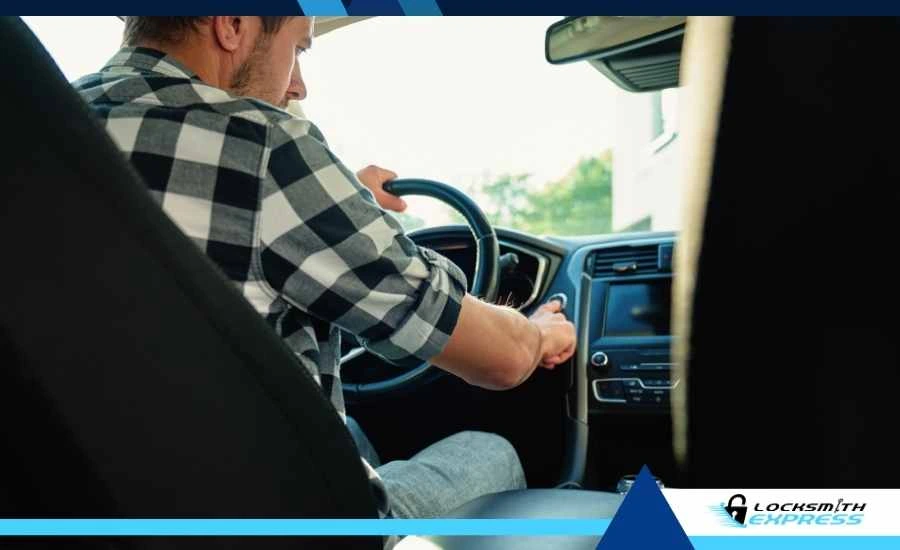
The “key not detected” in car message appears when your vehicle and key cannot communicate wirelessly. The vehicle sends a low-frequency signal to wake the key, and the key responds with a high-frequency code that authorizes the engine to start. If anything interrupts this loop, the car stays locked and refuses to recognize the key.
Common causes include:
-
A dead key fob battery
-
A sleeping motion sensor
-
Electronic interference
-
Damaged internal chips
-
Bitter-coated replacement batteries
Many modern keys also turn off automatically after sitting still to save power and reduce theft risk.
Watch this video to learn how to check your battery terminals and ensure the key is properly recognized by your vehicle:
Why Does My Key Fob Not Work After Replacing the Battery?
6 Fixes to Try Before Calling a Locksmith
Most detection issues come from a sleeping sensor or a weak electrical connection. These steps start with the simplest fixes and move up to more advanced solutions.
Key Fob Troubleshooting Summary (Insert Table Here)
|
Issue |
Likely Cause |
Quick Fix |
|
Key not detected |
Sleeping motion sensor |
Shake or tap the key to wake it |
|
Still won’t start |
Dead fob battery |
Use the backup start method |
|
Signal failure |
Electronic noise |
Unplug chargers and move phone away |
|
Battery replaced but still failing |
Bitter coating or wrong orientation |
Clean battery surface and reinstall |
|
Weak signal |
Bent battery contacts |
Lift the metal clips slightly |
|
All methods fail |
Damaged chip or weak car battery |
Try a jump start or get professional help |
Waking Up the Key’s Motion Sensor
Many modern keys from brands like Ford and BMW shut down after sitting still for 40 seconds to two minutes. A small motion sensor inside the fob cuts the signal to save battery life, which can sometimes look like a car won't start due to a key fob issue.
Pick up the key and shake it lightly or tap it against your hand. This wakes the sensor and allows the car to read the signal again.
Using the Built-In Backup Start Feature
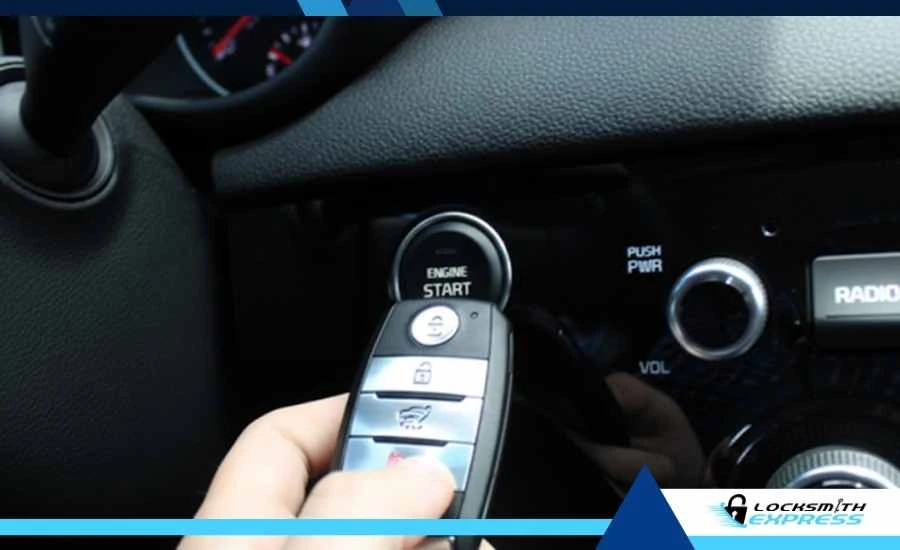
Every push-button vehicle includes a backup method that works even when the fob battery is fully dead. This method uses a passive chip inside the key that doesn’t need power, allowing the car to start even when the push-button system fails.
Most brands follow these patterns:
-
Asian cars: Press the brake and use the logo side of the fob to push the start button.
-
American cars: Place the fob in the designated slot in the center console or cup holder.
-
European cars: Hold the key against the marked area on the steering column.
Removing Electronic Interference
Dash cams, USB chargers, phone chargers, and other accessories can create radio noise that blocks the key signal. This interference prevents the vehicle from receiving the key’s security code.
Try the following:
-
Unplug USB chargers
-
Disconnect a dash cam
-
Move your phone to a different pocket
-
Step away from strong RF sources
More information is available from the FCC’s guide on radio noise interference.
Fixing Problems Caused by Bitter-Coated Batteries
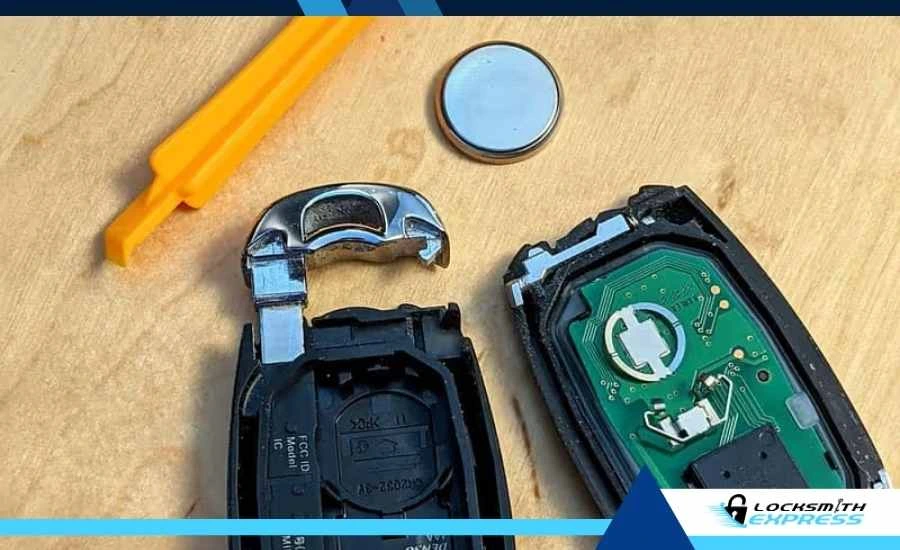
Many coin batteries include a child-safety bitter coating to discourage accidental swallowing. This coating can block electrical contact points inside a key fob and create problems when you change battery in the key fob.
If your key fails right after installing a new battery, wipe the battery surface with alcohol or lightly buff it with sandpaper.
Checking the Battery Orientation and Contacts
If the fob still fails, the battery may be installed upside down, or the metal contact clips may not be touching the battery tightly enough.
Open the key again and check:
-
The positive side faces the correct direction
-
The battery is seated properly
-
The metal clips are not pressed too flat
-
Lift the clips slightly if needed for a better connection
This often restores the fob’s signal.
Spotting Weak Vehicle Batteries or Hardware Failure
A weak vehicle battery may power the lights but not the car’s security sensors. Tap the horn. If it sounds weak, your car battery may not have enough power to read the key signal.
A jump start usually fixes this issue. If the problem continues, the issue may be with the vehicle’s receiver. Keys damaged by water, drops, or washing machines may also fail due to internal chip damage. If the backup start method does not work, professional service is required.
Final Steps Before Calling a Professional
Try the backup slot or press the start button with the fob before you worry about expensive repairs. If nothing works, you may need on-site programming or a replacement key. Locksmith Express offers fast solutions, including mobile car key replacement service.
Frequently Asked Questions
Can a key fob just stop working?
Yes. A dead battery or a lost signal can stop the fob from communicating with the vehicle. Drops and water exposure may also damage the internal chip.
How do I start my car if the key fob is not detected?
Use the backup method. Hold the fob against the start button or place it in the designated slot inside the center console.
Will a dead key fob cause the car not to start?
The car will not start wirelessly, but it will still start using the manual backup method. The passive chip inside works without battery power.
How do I reset my key fob detection?
Lock and unlock the driver’s door using the mechanical key. This step sometimes resets the rolling codes and restores communication.
Why does my car say no key detected after a battery change?
The battery may have a child-safe bitter coating that blocks electrical contact. Clean the coating with alcohol so the key can draw power.
Recent Posts
-

What to Do After a Break-In to Secure Your Home
Feb 04, 2026


